


Download Apple Music APK – music streaming app, high-quality songs, music library, music videos, offline music, personalized playlists, exclusive content, Apple ecosystem
Overview
Apple Music APK is a multimedia music streaming application developed by Apple, designed to deliver access to a vast and diverse library of high-quality songs. With over 100 million tracks available worldwide, the app serves as a comprehensive platform for music lovers seeking content across multiple genres, including pop, hip-hop, ballads, funk, classical, and modern hits. The service is subscription-based, requiring a monthly fee of $9.99 to unlock full access to its features.
It enables users to stream music in real time, download tracks for offline listening, and explore curated content such as music videos, concert films, live performances, and documentaries. The app is tailored for both casual listeners and dedicated audiophiles, offering personalized recommendations and dynamic playlist creation based on user preferences. Its integration with the Apple ecosystem allows seamless cross-device access for users with iPhone, iPad, Apple Watch, Mac, and Apple TV.
While the app is available on Android devices via the APK format, it is primarily optimized for Apple’s native environment. Real-world usage scenarios include daily commutes, workout sessions, background listening during work, and entertainment at home. The developer did not provide additional system requirements beyond the Android platform.
Key Features & Capabilities
- Extensive Music Library: Access to over 100 million high-quality songs from global artists and eras, spanning multiple genres and styles.
- High-Quality Audio Streaming: Offers high-resolution audio and lossless options for enhanced listening fidelity, ideal for audiophiles.
- Personalized Playlists and Recommendations: Uses algorithmic and human-curated insights to generate daily mixes and tailored music suggestions based on listening habits.
- Offline Music Downloads: Enables downloading up to 10 devices simultaneously for offline playback, supporting uninterrupted listening without internet access.
- Exclusive Content Access: Provides unique content such as live concerts, artist interviews, documentaries, and behind-the-scenes footage not available on other platforms.
- Music Video and Visual Content: Includes a library of music videos, concert films, and live performances for immersive audiovisual experiences.
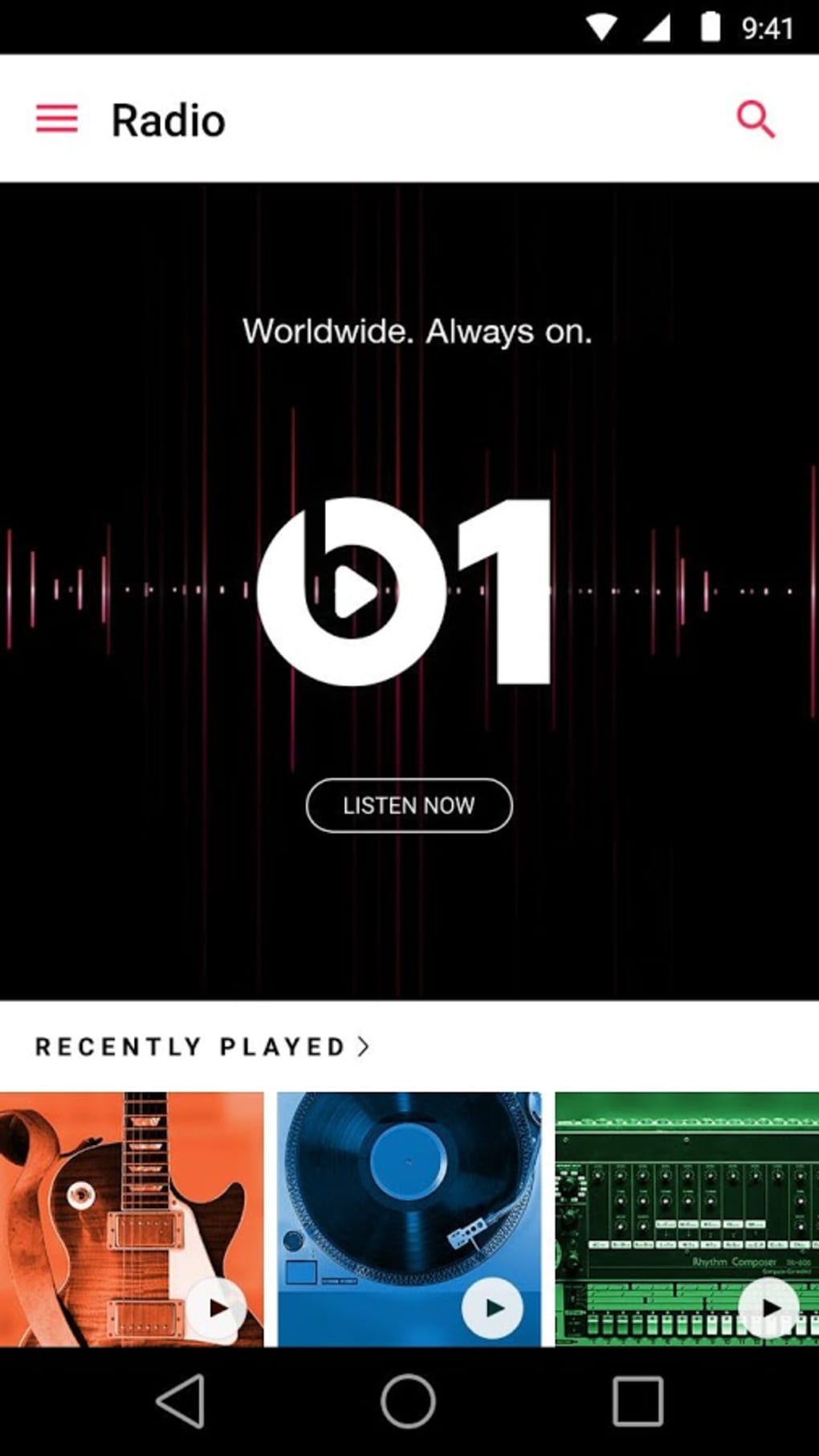
- Radio Station Integration: Offers global radio stations playing classic rock, jazz, top hits, and genre-specific programming.
- Share and Collaborate: Allows users to share songs and videos with friends via the "Start Sharing with Friends" tool in the For You section.
These features support real-world use cases such as building personalized workout playlists, discovering new artists through curated recommendations, and enjoying exclusive live performances. The ability to download music enhances usability during travel or areas with limited connectivity. The integration of both algorithmic and human curation ensures a balanced approach to music discovery, helping users find content aligned with their tastes.
User Interface, Workflow & Performance
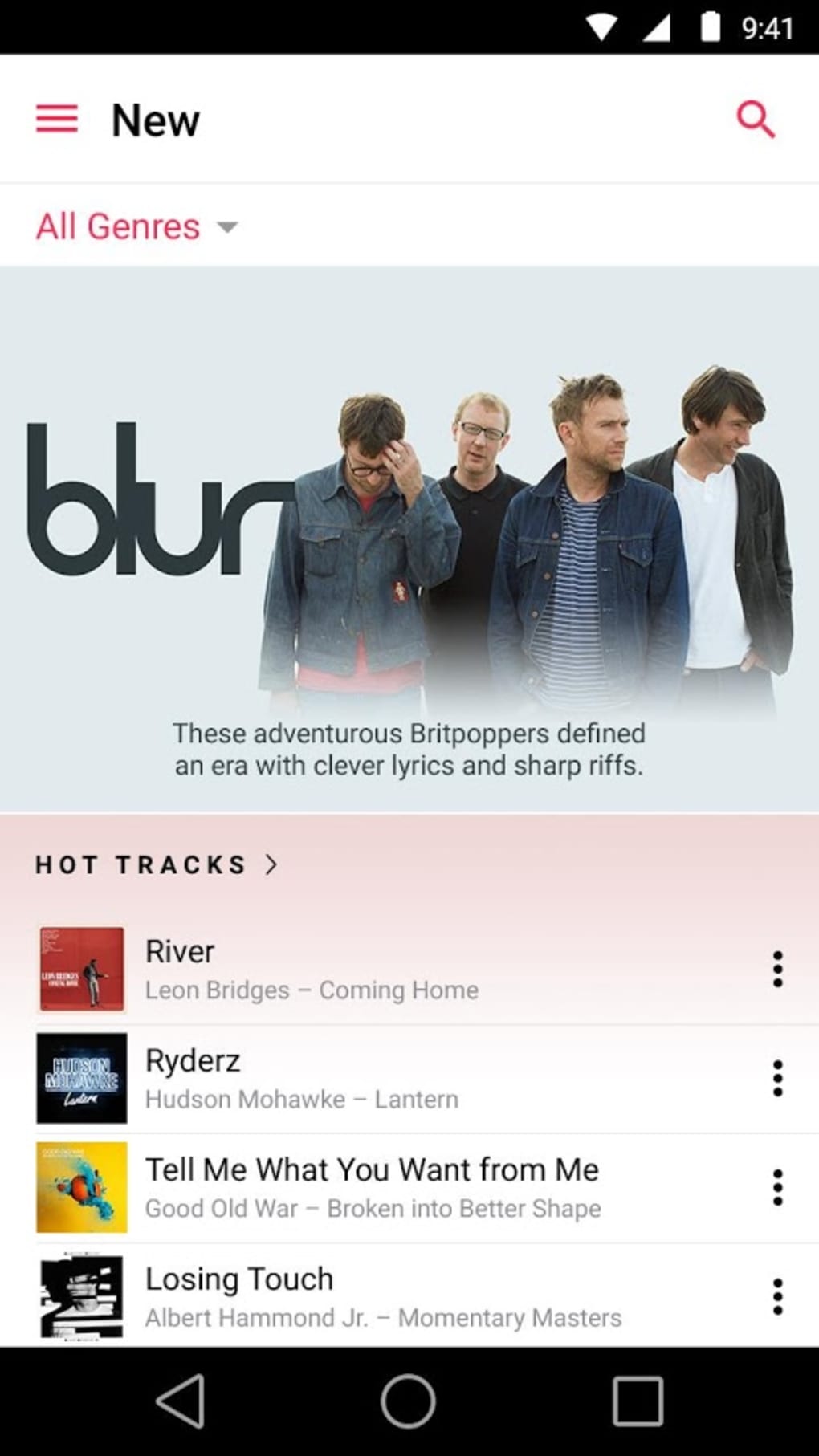
The user interface of Apple Music APK follows a clean, modern design consistent with Apple’s visual language, emphasizing intuitive navigation and visual hierarchy. The layout includes dedicated sections for Home, Browse, Radio, Library, and For You, allowing users to quickly access content based on preference. Navigation is streamlined through swipe gestures and bottom navigation bars, minimizing user effort.
The workflow for discovering music, creating playlists, and managing downloads is efficient, with minimal steps required to initiate playback or save tracks. The app supports real-time search, dynamic filtering, and quick access to recently played items. Performance observations are based on general software behavior patterns.
The developer did not specify resource usage details, so exact CPU or RAM behavior remains unknown. Stability during extended use has not been confirmed through technical benchmarks. Users may experience delays in streaming or loading issues in rare cases, though this is not consistently reported.
The app maintains responsiveness during typical usage, but performance may vary depending on device capabilities and network conditions.
Compatibility & System Requirements
Apple Music APK is designed for Android devices and is available in version 8.10.1. The application has a file size of 147 MB, which is relatively compact for a multimedia streaming app. It is compatible with Android operating systems, though specific version requirements were not listed.
The developer did not specify exact system requirements, including minimum RAM, processor, or storage needs. Compatibility information was partially provided, with the OS limited to Android. Users are advised to ensure their device meets general Android app standards for optimal performance.
The app may not function on older or low-end Android devices without further optimization. Installation is straightforward, but users should verify the source of the APK file for security purposes. The app supports offline use and cross-device synchronization, but functionality may depend on the device’s hardware and software configuration.
Pros and Cons
Pros
- Extensive music library with over 100 million high-quality tracks
- High-resolution and lossless audio options for superior sound quality
- Personalized playlists and daily recommendations based on listening habits
- Offline download capability for up to 10 devices
- Access to exclusive content including live concerts and documentaries
- Seamless integration with Apple ecosystem for cross-device use
- Supports music videos, concert films, and live performances
- Intuitive interface with efficient navigation and workflow
Cons
- Requires a monthly subscription fee of $9.99
- Performance may vary on older or low-end Android devices
- Exact system requirements were not specified
- Some users may experience streaming delays or loading issues
- APK version may not receive updates as promptly as official app store releases
- Not optimized for non-Apple devices despite Apple ecosystem integration
FAQ Section
Is Apple Music APK safe to download?
Downloading the APK from trusted sources is recommended to ensure security. The developer did not provide information on digital signing or verification methods for the APK.
Can I use Apple Music on Android devices?
Yes, Apple Music is available for Android through the APK format, allowing users to access the service on compatible devices.
Does Apple Music require a subscription?
Yes, Apple Music is a premium service that requires a monthly subscription fee of $9.99 to access full features and content.
Can I download music for offline listening?
Yes, the app allows downloading music for offline use, with support for up to 10 devices simultaneously.
Is Apple Music available on all Android versions?
While the app is designed for Android, specific compatibility details with older or newer versions were not provided by the developer.
Final Thoughts + CTA
Apple Music APK delivers a robust and feature-rich music streaming experience, combining a vast library, high-quality audio, and exclusive content in a well-structured interface. Its strengths lie in personalized recommendations, offline capabilities, and access to visual media such as music videos and documentaries. While the subscription cost and lack of detailed system requirements may pose concerns for some users, the app remains a compelling choice for music enthusiasts, especially those invested in the Apple ecosystem.
The ability to stream, download, and share content across devices enhances its utility for daily use. Despite potential performance inconsistencies on certain devices, the overall experience remains strong. For users seeking a comprehensive music platform with curated discovery tools and premium audio, Apple Music stands out.
Download Apple Music now.






.png)
